Showing posts with label Craftsmanship. Show all posts

Improve the Configuration of Docker Compose with Environment Variables

I recently started working on a new python project (yeah!). This project is really interesting, but the first lines of code are at least a decade old. Fortunately, this small project is relatively well designed on a Bash script and a docker compose basis. In theory, this is rather good news, but in practice, the deployment remains quite tedious.

This is because for every new configuration, we need to edit the docker-compose.yml to change some parameters (ports numbers for instance). The easiest way to manage these different parameters would be to create a docker-compose.yml file for each configuration. But in our case, we want to keep a much finer granularity where – at any time and whatever the environment (dev, prod, …) – we can change some parameters when launching all the dockers.

This finesse in the configuration of the launch of docker-compose has asked us to automate a little more the deployment of the application, through the use of environment variables. 

Environment Variables

To use any environment variable with docker-compose,  we need to use them inside the docker-compose.yml file:

services:
      my-container:
          ports:
                - “${PORT}:${PORT}”

If we prefer, we can also use this format :

services:
      my-container:
          ports:
                - “$PORT:$PORT”

With, that in mind, we are able to produce a very generic docker-composer.yml file. We can use those variables in all the file, even to configure the entrypoint script:

services:
      my-container:         
          container_name:my_container-${VERSION}
          image: “XXX.XX.XX.XXX:XXXX/my_container:${VERSION}”
          ports:
                - “${PORT}:${PORT}”
          entrypoint:
                - /local/start.sh
                - -opt1=${OPTION1}
                - -opt2=${OPTION2}
                - -port=${PORT}

Manage the environment variables with the Environment File

The first question that should come to our mind at this point is “What will happen if those environment variables are not defined ?”. Well docker-compose will pass an empty string to any variable that will not be defined. To ensure that those variables always exist, you can store some default values in an environment file : .env. Here is an example :

#./.env
PORT=8080
VERSION=1.0
OPTION1=”my first option”
OPTION2=”my second option”

Then if the .env file is in the same directory as the docker-compose.yml file, everything should work like a charm.

Manage the environment variables in the script file

Back to our specific project, we want to be able to change any of these variables quickly. In our case, our project is a little more complex than a simple docker-compose command to launch all our docker images. So, to launch docker-compose, we go through a .sh script that does a number of things before launching the dockers. Among other things, this script allows us to launch some commands like docker-compose up, docker-compose start, docker-compose stop, rm, cp, …. Since we are really lazy, we don’t want to update the .env file every time we change the configuration. So we decide to update our script to set our environment variables via parameters. This solution will allow us to launch the application with all the options we need in a single order like this : 

./myScript.sh  --port=5050 --opt1=”test” --opt2=”test-server”

Which is very simple to do inside the .sh script. All we need to do is export our variables to our local environment at the end of the script, so docker will have access to these variables :

for i in “$@”
do
    case $i in
         --port=*)
         CUTOM_PORT=”${i#*=}”
         ;;
         --opt1 =*)
         CUTOM_OPTION1=”${i#*=}”
         ;;
         --opt2 =*)
         CUTOM_OPTION2=”${i#*=}”
    esac
done

# do other things if needed…

export PORT=$CUTOM_PORT
export OPTION1=$CUTOM_OPTION1
export OPTION2=$CUTOM_OPTION2
export VERSION=”1.0”

When all those modifications are done, we just need to run our docker-compose command as usual (inside the .sh file for instance) and everything will be set-up as we want !

Give it a try, it is really cool !
My First Developers Meeting as a Speaker :

Since I start my last project (Distributed AI in IoT Devices), I have to admit that I learn a lot of new things in very different fields : Artificial Intelligence, Mathematic Modelling, Project Architecture, Craftsmanship, IoT, ... This project also gives me the opportunity to experiment a lot : new language, new tools, new methods.

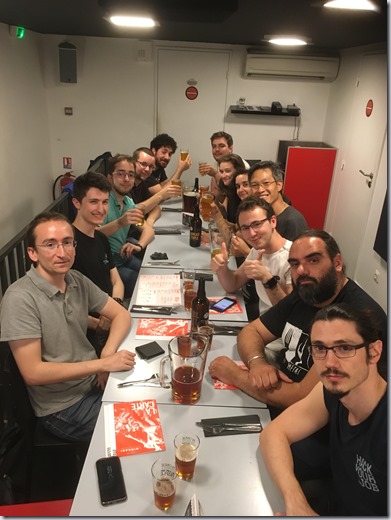
With that kind of experience, I soon got in touch with an association of developers : Microsoft User Group of Lyon (MUG Lyon). Thus, they submitted me to a new challenge : present my project as feedback of my experiences in front of other developers. After some thoughts, I decided to meet this challenge and to deliver my project through a very specific approach : “Are Craftsmanship Good Practices Achievable in an AI and IoT Project ?”.

Why did I say yes ?

This was a great opportunity for me to conciliate the two things I love the most in my work : Artificial Intelligence and Craftsmanship best practices.

When I start my double degree in AI, a lot of people told me that engineering and scientific are two very separate fields that are not mixable. I believe they are wrong since I did it in my current project. Indeed I currently use all of my skills (from all of my oldest experiences) to achieve this project. And I am very proud of that.

There is no reason to reject good practices just because a project involve complex mathematic calculations. Also, It allows the code to be more easily accessible from any developers : no need to be an expert in mathematics.

Last but not least, this was a great opportunity to improve my social skills and my communication capacities. I worked hard on this presentation to present this project as simply as possible, and to produce an accessible speech for anyone. Those kinds of skills are very useful to develop, and I am happy to have tested them on a real professional context.

IMG_1326

Thanks the MUG for this great opportunity !

The meetup event :
https://www.meetup.com/fr-FR/MUGLyon/events/250854003/


How To “Clean Code”

A long time ago, I read the Clean Code during my first internship. Immediatly after, I started to apply the global idea hidden in this bible for developers. But this task can be quit complicated because it’s too long and the result can end up worst then before. Here are my 4 ideals that I follow in order to apply the Clean Code’s principles without getting lost.

1. Start to define what is the most urgent

The Clean Code gives a lot of little rules to apply in order to provide a beautiful and readable program : Don’t write global functions, Don’t use flags as function parameters, Functions should only be one level of abstraction, and so on… But implement all of them can take a lot of time and require a lot of practice because not all of them are that simple to achieve.
In the ocean of rules that you should use (according to the clean code), I believe that it is important to focus on just some of them at the beginning. The benefit is to achieve a more readable code quicker than expected but also to transform your “most important” rules in automatism faster. 
In my own case, here are my “most important” rules that I focus on every day :
  1. Every element of the code should have a meaningful name (file, variable, function, class, …)
  2. Max indent per method should be 2 or 3
  3. Use Constants
  4. Don’t Repeat Yourself
If you noticed, those rules only take care of the readability of the code itself. But choosing to first focus on those do not mean that I don’t try to apply the other rules. It is just my priority.

2. SOLID is difficult, but Single Responsible Principle is the key

The SOLID principles are kind difficult to achieve, especially when the project is big. (Know that the Dependency Inversion Principle gives me nightmares !)

If there is one that is the most important and the easier to use, it surely is the Single Responsible Principle : a class or a function has one and only one responsibility. Refactoring my code this way helps me achieve a more readable code quickly. This is also very convenient for testing. 

3. Don’t lose your mind

This is important for me because I am a perfectionist. But clearly, provide a perfect code is not possible.
First, because it requires too much time.
Secondly, because I can see a code has perfect, meanwhile my coworkers will still be unable to read it. It is my own perception of it.
Finally, because sometime, splitting the code too much makes it unreadable.
Even if refactoring is good, I try not apply each rule literally, because it can have the opposite effect.

4. Don’t forget tests

Last, but not least, you need to clean the tests !
They can be read by any developers to and it is not that hard to refactor them as well. It will be then easier to solve failed test afterwards ;-) .

Et Voilà !

I gave you all of my tricks to help me write better code. Of course it is just my way of doing it, so feel free to adapt those advices to your own situation.
Now, will you excuse me, I have some refactoring to do.

BDD - My Own Specification Sheet

I like to say that I don't have very much time ahead in this project, since my internship is only six months long. On one hand, this short time is not an excuse to skip tests. But on the other hand, I can not spend most of my time writing them. A good alternative for me was then to do some behavior-driven development tests.

Behavior-Driven Development test method allow me to test really important features without making me test every single line of my code. This method helps me create a minimal code that answer a specific need.

To use this method with my Python code, I use behave. Behave is a framework similar to cucumber that allow me to merge my specifications and my tests. This is really powerful since I can now show my tests results to anyone in my project : everybody can understand what is working, and what is not.

Here is a little illustration.


First, I describe my feature just like behave wants me to. I do it myself since my project is specific for my internship, but it can be written by an analyst, a customer, or whoever in charge of those scenarios.


Then, I - the developer - can assign the scenario to the right tests using specific behave tags : @given, @when and @then. It can seem quite annoying to separate those 3 steps, but everything can be store in the context. Also it makes every step reusable for multiple tests !

Behave also provides a lot of different features that can create very particular tests like the concept of "work in progress" scenarios or the use of some step data if needed.

Finally when I run those tests, results are shown in a very understandable way :


Note that the path following the '#' indicate the location of the method associate with the step. It is really useful for refactoring the code and still be able to fix failed tests.


Improve the Configuration of Docker Compose with Environment Variables

I recently started working on a new python project (yeah!). This project is really interesting, but the first lines of code are at least a d...